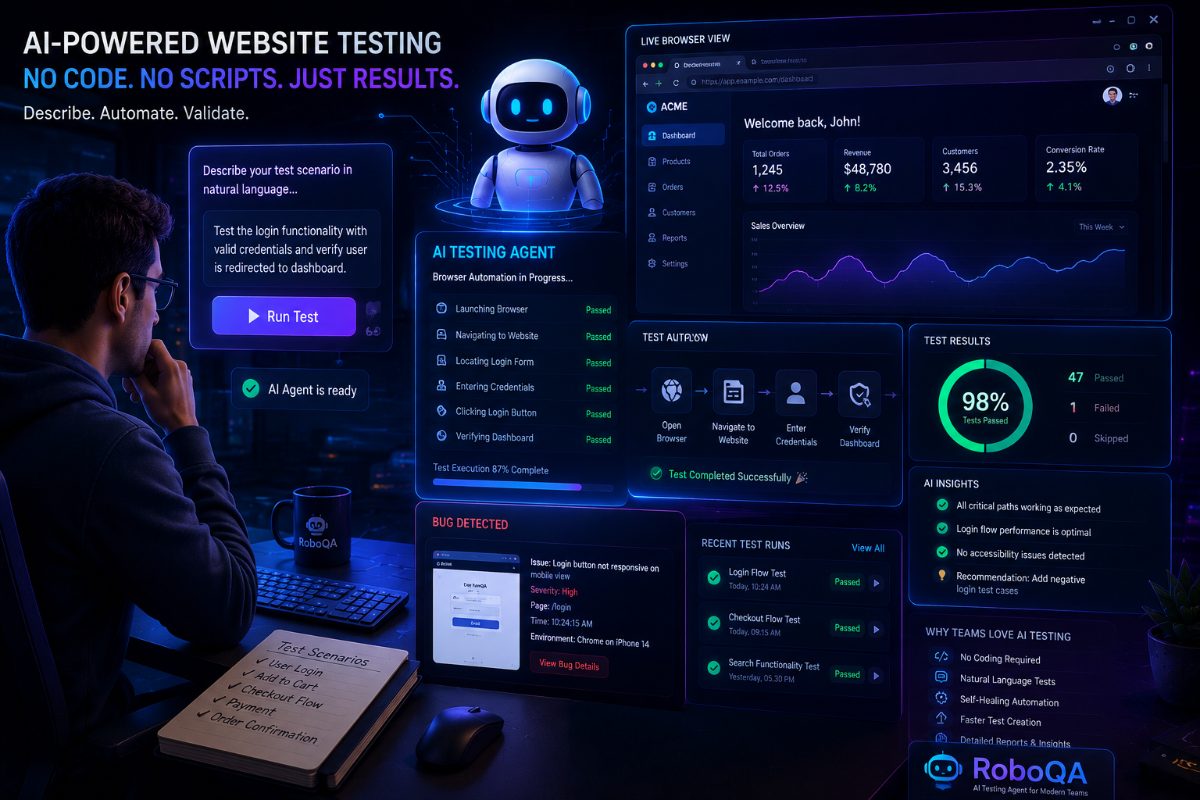
How To Automate Website Testing Without Writing Test Scripts
Software testing has always had one major challenge:
How do we test more without increasing effort?
As applications become larger, QA teams need to validate more scenarios.
A modern website may contain:
- User registration
- Login flows
- Search functionality
- Payments
- User dashboards
- Forms
- Multiple browser experiences
- Mobile responsive layouts
Testing all these workflows manually takes significant time.
Traditional automation helps solve this problem.
But it introduces another challenge.
Writing and maintaining test scripts requires technical expertise.
This raises an important question:
Can teams automate website testing without writing complex test scripts?
The answer is becoming yes with AI-powered testing.
---
The Traditional Way Of Website Testing
For many years, website automation followed a script-based approach.
A tester or developer would write instructions.
Example:
1. Open browser
2. Navigate to website
3. Find username field
4. Enter username
5. Click login button
6. Verify dashboard appears
Tools like Selenium and Playwright made this possible.
This approach works well.
But it requires:
- Programming knowledge
- Automation framework setup
- Script maintenance
- Technical debugging
For many QA teams, creating automation becomes a separate engineering task.
---
Why Script-Based Automation Can Become Difficult
Writing the first automated test is usually not the biggest problem.
Maintaining hundreds of tests is.
Modern websites change frequently.
Examples:
A button design changes.
A form structure changes.
A new checkout step is added.
A page component is redesigned.
The application works correctly.
But existing automation may fail.
QA teams then spend time fixing scripts instead of testing new features.
---
What Is No-Code Website Testing?
No-code testing allows teams to create automated tests without manually writing programming scripts.
Instead of describing technical actions, users describe what they want to validate.
Traditional approach:
"Click element ID login_button."
No-code AI testing approach:
"Verify users can log into the application successfully."
The focus moves from technical instructions to business outcomes.
---
How AI Helps Automate Website Testing
AI-powered testing tools use artificial intelligence to understand testing goals.
A tester can describe scenarios such as:
"Test customer registration."
"Verify checkout works after applying a discount."
"Check that users can search products."
The AI agent can:
- Open the browser
- Navigate the application
- Perform actions
- Validate results
- Capture evidence
- Generate reports
---
Benefits Of Automating Website Testing With AI
1. Faster Test Creation
Teams can create testing workflows faster because they do not need to write every technical step.
---
2. Reduced Maintenance
AI-powered testing can better adapt to changing interfaces compared to traditional fixed scripts.
---
3. More Teams Can Automate
Not every QA professional is a developer.
No-code testing allows more team members to participate in automation.
---
4. More Time For Quality Analysis
When repetitive execution is automated, QA engineers can focus on:
- Finding risks
- Improving coverage
- Exploring edge cases
- Understanding user behaviour
---
What Types Of Website Testing Can Be Automated?
AI-powered website testing can help with:
Functional Testing
Examples:
- Login
- Registration
- Checkout
- Search
- Forms
---
User Journey Testing
Examples:
- Customer purchase flow
- Account creation
- Navigation paths
---
Regression Testing
Checking whether existing features still work after changes.
---
UI Testing
Validating:
- Buttons
- Pages
- Navigation
- User interactions
---
Can AI Testing Replace All Automation?
No.
Different approaches solve different problems.
Traditional automation is still valuable for:
- Highly technical workflows
- Stable applications
- Complex custom requirements
AI testing is useful for:
- Faster test creation
- Changing applications
- User journey validation
- Reducing repetitive work
The future will likely combine both approaches.
---
How RoboQA Helps Automate Website Testing
RoboQA is built to simplify browser testing using AI.
Instead of writing detailed automation scripts, teams can describe what they want to test.
Examples:
"Check if users can create an account."
"Verify checkout after adding products."
"Test website navigation."
The AI agent executes the workflow and generates testing results.
This allows teams to spend less time writing scripts and more time improving software quality.
---
The Future Of Website Testing
Software teams are moving toward faster development cycles.
Testing needs to keep up.
The future of website testing will not be about writing more scripts.
It will be about creating smarter testing systems.
AI-powered testing helps teams move from:
"Automation that follows instructions"
to:
"Automation that understands goals."
---
Final Thoughts
Website testing is becoming more complex every year.
Teams need faster ways to validate software without creating unnecessary maintenance work.
AI-powered testing tools provide a new approach.
They allow teams to automate workflows using natural language and focus more on delivering high-quality software.
The future of testing is simpler, smarter, and more accessible.
RoboQA CTA
RoboQA helps teams automate website testing using AI-powered browser automation.
Describe your test scenario in simple language and let AI execute workflows, validate results, and generate reports.
Start building smarter testing workflows with RoboQA.